The latest Agentic studio release delivers a smoother experience with improved usability, clearer execution visibility, and more flexible ways to work with agents and flows and generated artifacts.
Key improvements include:
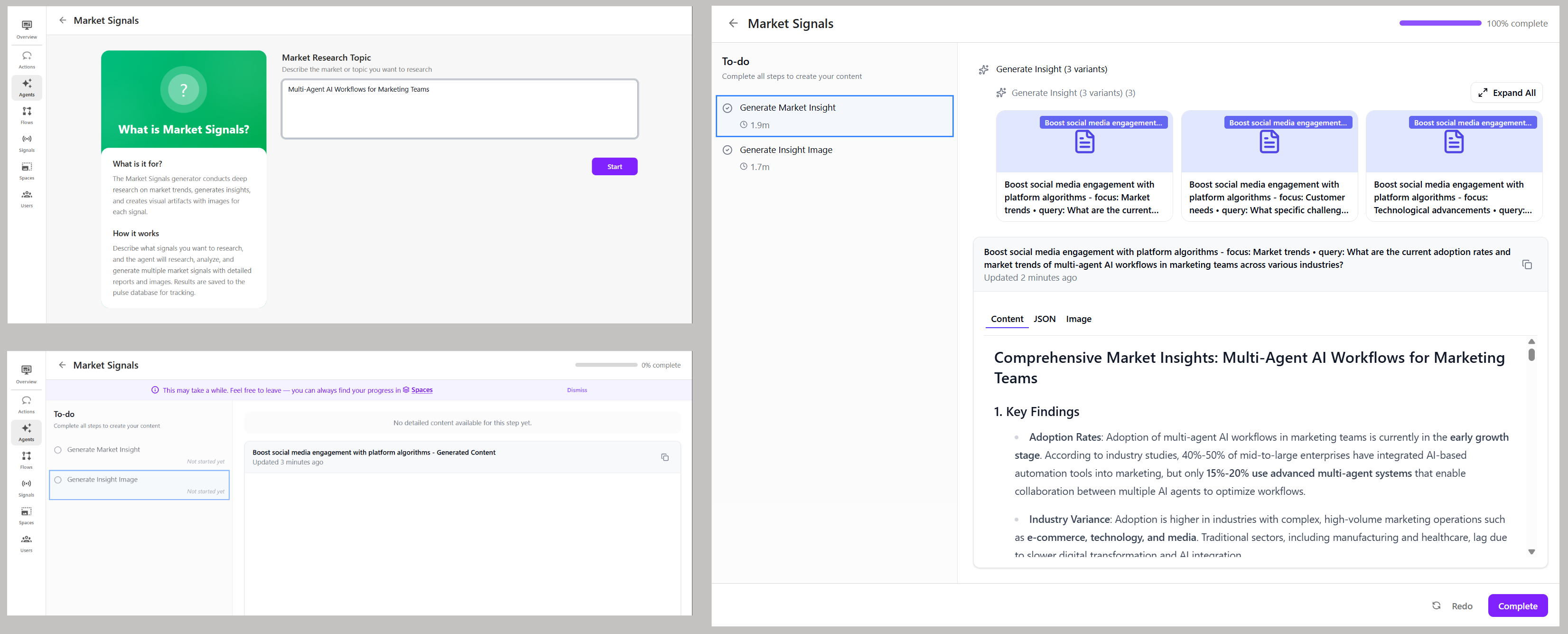
Generate market signals on demand
A new Market Signals agent is now available as a standalone agent, allowing you to generate insights whenever needed and run signals more frequently than daily.
The Signals page continues to generate insights based on your preferences and now lets you refresh signals after making changes.
Chain multiple agents in a single action
Agentic Studio now supports agent sequencing, enabling you to run multiple agents in order, reuse artifacts as shared context, and build ad hoc multi-agent workflows with minimal setup.
You can continue and build on conversations initiated from Actions, by acting on a signal, or from running agents and flows.
Select any agent to run next and build on artifacts generated by earlier agents within the same conversation to produce your desired output.
Work with clearer, guided agent inputs
Agents now clearly explain their purpose and guide you to provide specific inputs (such as a CSV file, URL, or topic) instead of generic prompts, making it clearer what each agent expects and helping you get better results.
While an agent is running, you can clearly see which steps are in progress or completed, and view generated artifacts in the main panel.
Use flows more easily
Flows have been simplified to make it easier to understand their purpose and agent progression, see what’s running, what requires confirmation, and which agent runs next.
When a flow is running, you can clearly see which agents and tasks are in progress or completed, and view artifacts generated by each agent.
Create custom agents and edit configurations with more control
UI and usability improvements make it easier to create custom agents, edit agent configurations, and design agent workflow using more granular actions in the editor.
You now have the option to change the visibility of custom agents to Public to make it available to the whole organization.
Export and import agent configurations
You can now export agents as JSON files to share or reuse configurations across environments.
You can import an exported JSON file when creating a new agent, as an alternative to duplicating an existing agent. This is useful when you want to adapt an agent’s logic, inputs, or outputs without starting from scratch.
General UI and UX improvements
The Agentic studio interface is now more intuitive and user-friendly, with additional in-context guidance to help users navigate and understand the UI.
All agent outputs are now generated as artifacts that are clearly visualized, reusable, and referenceable across conversations.
The UI now clearly indicates that you can return to a running agent or flow from Spaces at any time.